
Help
Moving the view
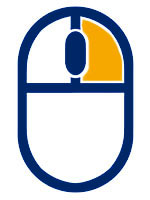
Hold and move to turn the view in any direction. A short click without moving opens the context menu for whatever sits under the pointer.
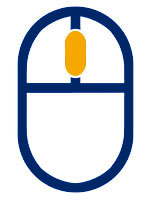
Hold and move to shift the view sideways, up and down. Scroll to zoom in and out.

Click an object to select it, click empty space to deselect. Hold Ctrl while clicking to select several objects at once. Double-click an object to bring it into focus; double-click empty space or a wall to fit the whole room back into view.
On a tablet or phone
Drag to turn the view. Tap an object to select it, double-tap to bring it into focus. Some objects can be moved or rotated by dragging them in their selected state.
Drag to shift the view, pinch open and closed to zoom.
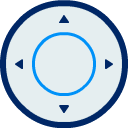
Double-tap a person to look through their eyes. Two joysticks appear on the screen: push the left one to walk in that direction and the right one to look around.
Specific objects offer extra actions to use. Those are displayed as additional buttons in the Side Menu.
Views

Folds the plates of a supply unit out into flat panels and labels every outlet with its position and its circuit. Select the supply unit and pick Flat View from the context menu or the buttons below the toolbar. Zoom and shift the panels as you would the room, and double-click a panel to fill the screen with it, an outlet to zoom right in, or the space between the panels to fit them all again.

Shows the selected device on its own and hides the rest of the room, which makes it easy to look at from every side. Reached the same way as Flat View.
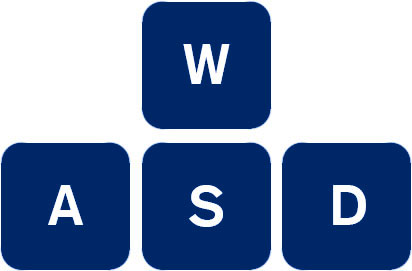
Double-click a person to look through their eyes. Walk with W, A, S, D or the arrow keys and look around by holding the right mouse button. Esc brings you back.
The cube in the top left corner turns the room to a straight-on view: click one of its sides for front, back, left, right, top or bottom, and its centre to return to the normal 3D view.
Toolbar
The buttons in the top right corner. Hold the pointer over one to see what it does.

The room fills the whole screen. Not offered on phones and tablets, where it already is full width.

Only there while the room is maximized. Puts it back to its normal size in the page.

Turns the room slowly in front of the camera. Change the speed with the left and right arrow keys, and the angle by holding the right mouse button.

Stops the automatic rotation.

Shows the clearance around the devices in millimetres, the rings the arms of a supply unit can swing along, and any measurements that were added to the configuration. The values keep up with the room, so they change as soon as something moves into a measuring line.

Switches the picture quality between best, good and standard. Standard also turns the shadows off and is the one to pick on older hardware. Your choice is kept for your next visit.

Choose whether the logo and the watermark belong on the picture, then save the current view as a PNG file. The selection is cleared first, so no outline ends up in the picture.

Opens this window. It also opens on its own the first time you use the Explorer.
Keyboard
Esc |
Deselect, close a menu, leave the first-person view |
F |
Bring the selected object into focus |
Ctrl+click |
Add an object to the selection, or take it out again |
WASD |
Walk, in the first-person view. The arrow keys do the same |
←→ |
Speed of the automatic rotation |